
iOS 27 Features Guide
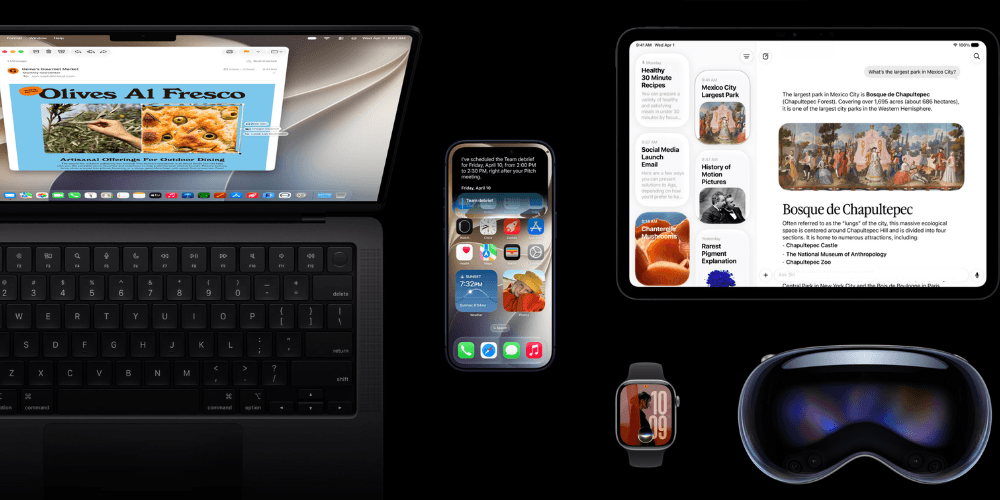
iOS 27 brought a range of new features and improvements to all compatible iPhones. The update puts Apple Intelligence at the centre of the experience, with a more advanced version of Siri, new AI-powered tools in everyday apps, and improved ways to personalise your iPhone.
Release date
iOS 27 was released on 14th September 2026.
Which iPhones support iOS 27?
iOS 27 is available on most iPhones, but some newer Apple Intelligence features are only available on certain models:
• iPhone Duo
• iPhone 18 Pro Max
• iPhone 18 Pro
• iPhone 17 Pro Max
• iPhone 17 Pro
• iPhone Air
• iPhone 17
• iPhone17e
• iPhone 16 Pro Max
• iPhone 16 Pro
• iPhone 16 Plus
• iPhone 16
• iPhone 16e
• iPhone 15 Pro Max
• iPhone 15 Pro
• iPhone 15 Plus
• iPhone 15
• iPhone 14 Pro Max
• iPhone 14 Pro
• iPhone 14 Plus
• iPhone 14
• iPhone 13 Pro Max
• iPhone 13 Pro
• iPhone 13
• iPhone 13 mini
• iPhone 12 Pro Max
• iPhone 12 Pro
• iPhone 12
• iPhone 12 mini
• iPhone 11 Pro Max
• iPhone 11 Pro
• iPhone 11
• iPhone SE (2nd generation and later)
iOS 27 features breakdown
Smarter Siri AI with Apple Intelligence
Siri got a major update in iOS 27, with Apple Intelligence making the assistant more conversational and capable. It’s one of its biggest updates yet and is capable of understand more natural conversations, use personal context from your apps, and take actions from across your iPhone.
You can also ask Siri questions about what’s on your screen, while the new dedicated Siri app lets you start and revisit conversations across Apple devices using iCloud.
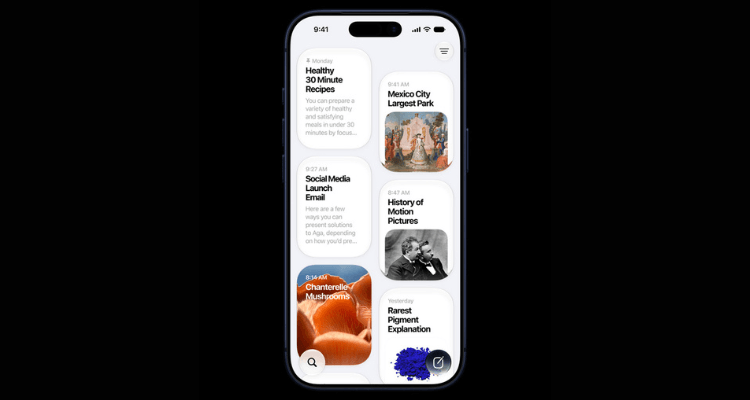
Siri Mode in the Camera app
Siri AI is now built into the Camera app, letting you use your camera to find information about what’s in front of you. For example, you can point your iPhone at an object, ask Siri about it, and instantly find out more information based on what you’re seeing.
New AI photo editing tools
iOS 27 also added AI functionality to the Photos app. Spatial Reframing lets you change the composition of a photo after you’ve taken it, while Extend can expand an image beyond its original boundaries.
If there’s something getting in the way, the Clean Up tool can remove larger objects and unwanted details, helping you get your pictures looking just the way you want them.
Image Playground
Image Playground was updated with a new generative model that lets you create images in even more styles, including photorealistic ones.
You can tweak your pictures using simple prompts or touch, then use them to make personalised Lock Screen wallpapers and Contact Posters.

Safari overhaul
If you often have lots of tabs open at once, Safari’s new AI-powered features can help you manage your browsing.
Organise by Topic automatically groups related tabs based on the content of the webpages you have open, making it easier to find what you’re looking for. There’s also Notify Me, which can monitor a webpage for changes such as a price drop or an item coming back into stock - a useful way to keep track of something you’re interested in without having to remember to check the page yourself.
AI-powered suggestions in Messages & Mail
Messages and Mail now use the context of your conversations to offer helpful suggestions. If someone mentions an event, your iPhone can suggest adding it to your calendar. Other prompts can help you find a relevant photo without you having to manually search for it.
New tools for parents & children
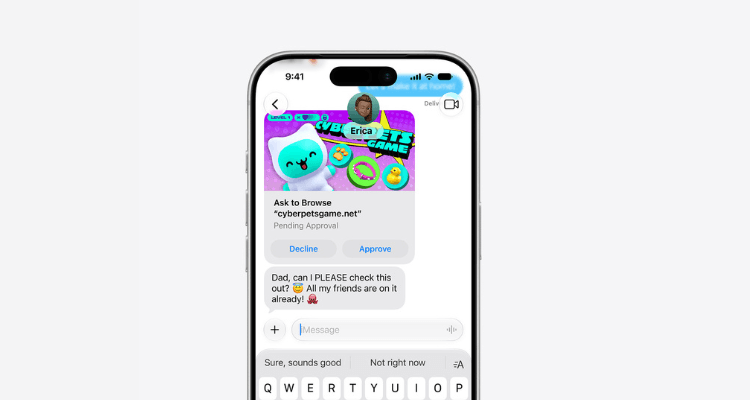
If your child has an iPhone, iOS 27 gives parents more ways to manage how they use it. You can approve new websites, set time limits across games and social media, and choose which apps they can use at different times.
Screen Time settings were updated, too, giving you a clearer view of how your child is using their iPhone and how much time they’re spending on it.
More control over the Liquid Glass design
Apple refined its Liquid Glass design in iOS 27 with a few more ways to customise how it looks. A new slider in Settings lets you adjust the appearance of Liquid Glass, so you can choose between a more transparent, ultra-clear look or a finish with a heavier tint.
Faster performance
iOS 27 isn't just about how your iPhone looks; Apple also made changes to improve everyday performance.
Apps can launch up to 30% faster, new photos can load in your Photos library up to 70% faster, and AirDrop transfers can be up to 80% faster. The exact difference will depend on your device and what you're doing, but the aim is to make some of those everyday tasks feel a little quicker.
Better connectivity
iOS 27 makes it easier for your iPhone to move between different types of connections. Connectivity Assist helps your device transition between Wi-Fi and mobile networks more smoothly, so you can stay connected if you have to move from one connection to another.
Improved iCloud Shared Albums
iCloud Shared Albums was updated to make it easier to share photos with friends and family, even if they don't all use Apple devices.
Anyone using Android or Windows can contribute photos through iCloud.com, with support for high-resolution photos. You can also filter images, react to them, and invite people to albums more easily.
New Health features
The Health app adds new support for perimenopause and menopause in iOS 27, giving users more ways to keep track of changes and related symptoms. Cycle Tracking can notify you when patterns in your logged data suggest perimenopause, while you can also record symptoms and access educational resources in the Health app.
Smarter features in the Home app
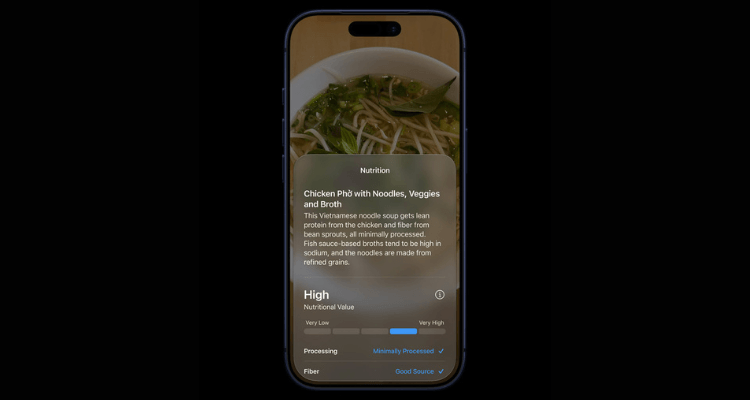
Apple Intelligence brings some useful new features to the Home app. Related activity notifications can be grouped together, so it’s easier to keep track of what’s happening around your home.
With supported HomeKit Secure Video cameras, Apple Intelligence can also give you a quick description of what happened in recorded footage before you watch it. You can search for clips based on what’s happened to find a particular moment without scrolling through hours of footage.
Supported cameras can also now stream and record in 4K, giving you a clearer view of what’s happening at home.