
Android 13 features: What you need to know
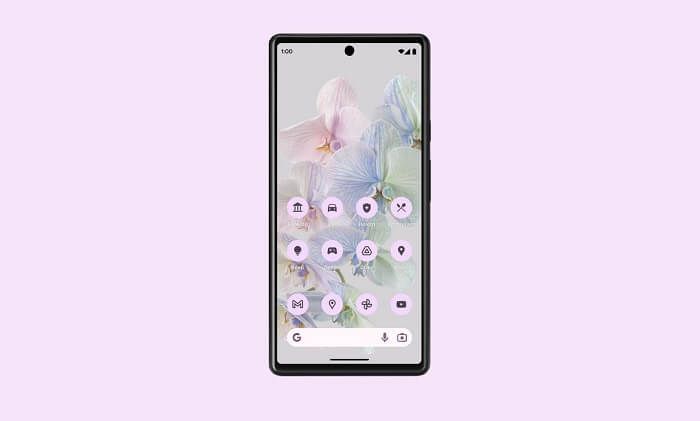
Each version of Google’s powerful operating system brings with it new features and tools to enhance your mobile phone experience. Android 13 builds on its predecessor with deeper ways to customise your Android device, to make it truly unique to you.
We’ve put together an essential list of the key Android 13 features and changes you need to know about. When looking for an Android 13-supported phone, we’ll also help you find the best one for you, with our diverse collection of Android handsets.
Which handsets support Android 13?
A full list of the handsets which support Android 13 can be found at the bottom of this blog.
1 – Improved customisation and theming
When it comes to customising your Android phone, Android 13 improves upon the foundations laid out in Android 12 by making it even easier to create a consistent, unique theme.
‘Material You’ arrived in Android 12 and enabled users to stylise their Android phone’s interface around a core colour palette. If your wallpaper is predominantly red for example, you can change the UI (user interface) so it follows this red theming.
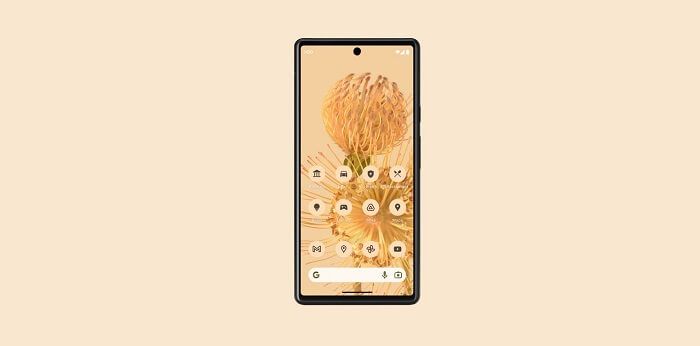
Android 13 expands on this idea by introducing more auto-themed icons and apps. When personalising your UI’s theme, you can also choose to personalise an app’s menu icon around this core palette, as well as the colours used in the app, to create an even greater synergy throughout your phone’s interface. This feature was limited to a small number of apps in Android 12, but has grown considerably in Android 13.
2 – A new media player
If you like to play music from your phone, an exciting new Android 13 feature is the improved media player.
The ‘Now Playing’ bar on your lock screen and main menu has been enhanced to feature album artwork across the entirety of the bar, rather than a one-dimensional colour. The timeline will also animate as music plays.
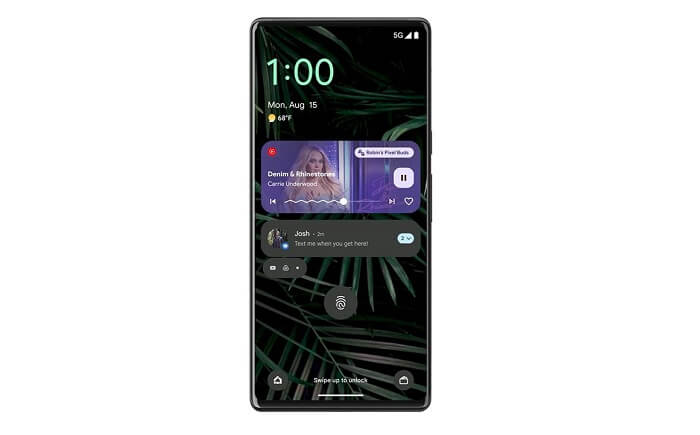
These changes may not sound like much, but given how often we unlock our phones to change a song or check notifications, having a media player which looks as visually striking as the rest of the phone is refreshing.
3 – Chat messages to your Chromebook
We’ve all been in situations where you can’t get to your phone, be it in a meeting, lecture, or when it needs to be turned off completely.
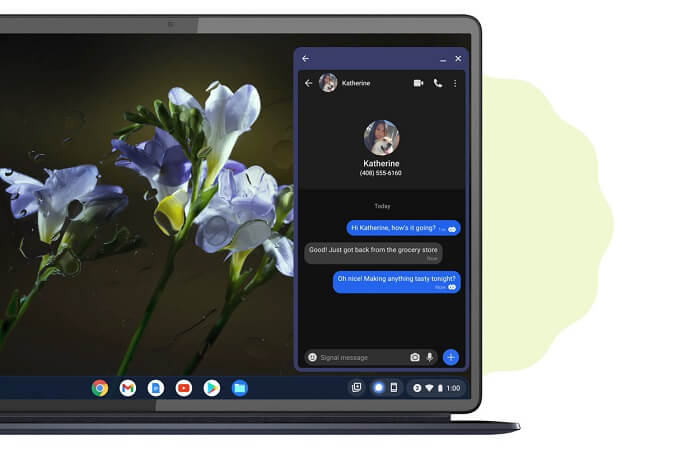
With Android 13 and a Bluetooth connection, you can send and receive messages from a Chromebook laptop, without needing to access your phone. This feature can be a lifesaver if a text needs urgent attention.
4 – Immersive spatial audio
When you’re fully submerged in a song, engrossed in a game, or surrounded by explosions in an action movie, the experience is magnified considerably with immersive sound technology.
This is why spatial audio in Android 13 is such a significant feature. If you have a Pixel phone, you can plug in or wirelessly connect your headphones and enjoy three-dimensional sound. Bluetooth LE Audio also helps reduce battery consumption when connected to an audio device, and improves overall sound quality as well.
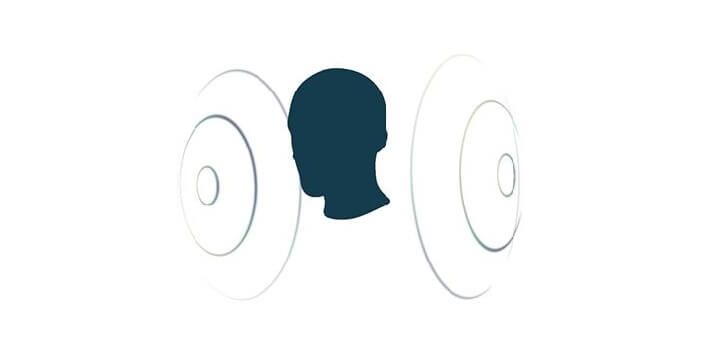
Supported headphones and earbuds gain an additional feature in head-tracking, which shifts sound based on the movement of your head, enhancing immersion even further.
5 – Multilingual app support
The final Android 13 feature we’re highlighting is support for different languages on an app-by-app basis. Within each app, you can set the language to any of the supported options, without needing to change the default system language settings.
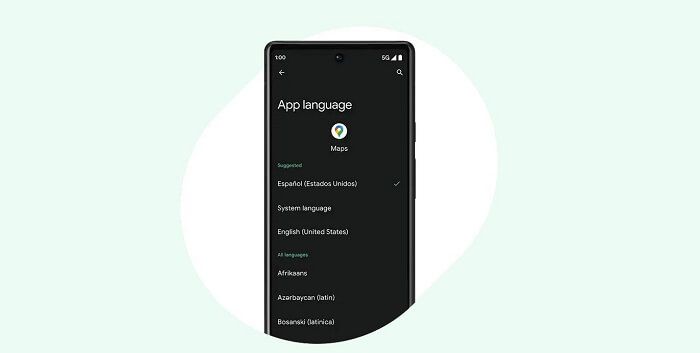
For any multilingual Android users, this feature is a game-changer, and really drives home Android 13’s focus on enhanced personalisation.
Which phones support Android 13?
Pixel Phones
• Pixel 4
• Pixel 4XL
• Pixel 4a
• Pixel 5
• Pixel 5G
• Pixel 5a
• Pixel 6
• Pixel 6 Pro
• Pixel 6a
• Pixel 7
• Pixel 7 Pro
Samsung
• Galaxy S23
• Galaxy S23 Plus
• Galaxy S23 Ultra
• Galaxy S22
• Galaxy S22 Plus
• Galaxy S22 Ultra
• Galaxy S21
• Galaxy S21 FE
• Galaxy S21 Plus
• Galaxy S21 Ultra
• Galaxy S20
• Galaxy S20 Plus
• Galaxy S20 Ultra
• Galaxy S20 FE
• Galaxy Z Fold4
• Galaxy Z Flip4
• Galaxy Z Fold3
• Galaxy Z Flip3
• Galaxy Z Fold2
• Galaxy Z Flip 5G
• Galaxy Z Flip
• Galaxy A32
• Galaxy A33 5G
• Galaxy A52
• Galaxy A53 5G
• Galaxy A52s 5G
• Galaxy A51
• Galaxy A51 5G
• Galaxy A42 5G
• Galaxy A73
• Galaxy A72
• Galaxy A71
• Galaxy M52 5G
Motorola
• Motorola Razr (2022)
• Edge 30 Ultra
• Edge 30 Pro
• Edge+ (2022)
• Edge 30 Fusion
• Edge 30 Neo
• Edge 30
• Edge (2022)
• Edge 20 Pro
• Edge 20
• Edge (2021)
• Edge 20 Lite
• Moto G 5G
• Moto G G82 5G
• Moto G72
• Moto G62 5G
• Moto G52
• Moto G42
• Moto G32
Nokia
• Nokia G50 5G
• Nokia X10 5G
• Nokia X20 5G
• Nokia XR20 5G
OPPO
• Find X5
• Find X5 Pro
Sony Xperia
• Xperia 1 IV
• Xperia 5 IV
• Xperia 5 III
• Xperia 1 III
• Xperia Pro-1
Xiaomi
• Xiaomi 13
• Xiaomi 13 Pro
• Xiaomi 12
• Xiaomi 12 Pro
So there you have it: the top Android 13 features that define this iteration of the Android operating system. If you’re looking for more information on supported phones, such as the Pixel 7 and Pixel 6 ranges, our expert guide will take you through each device and help you find the ideal one for you.