
6 Best Apps for Taking Notes on iPhone & Android
Handy for everyday organisation, capturing ideas and improving productivity, note-taking apps are more popular than ever. However, with the wide variety of note-taking options across iPhone and Android, you may wonder about the ideal choice to download.
That’s where this guide comes in, breaking down the key features of noting apps so you can find the ideal one for you. Explore our contract and SIM-only deals if you’re also thinking of changing up your handset experience.
Note-keeping app essentials
More than pen and paper replacements, noting apps can keep ideas and reminders synced, searchable, and secure across all your devices.
Featuring handy collaboration tools, they also enable the real-time sharing of lists, plans, and documents with teammates and family members. The best noting apps meet those needs, and many more besides.
Here are some of our note-taking app non-negotiables:
● Offline access
● Collaboration tools
● Voice/image note support
● Security and encryption
● Integration with calendars and productivity apps
With the essentials covered, let’s dive into our top note-taking app recommendations.
Microsoft OneNote
Key features:
● Notebook‑style organisation
● Cross‑platform syncing
● Handwriting support
● Audio recording
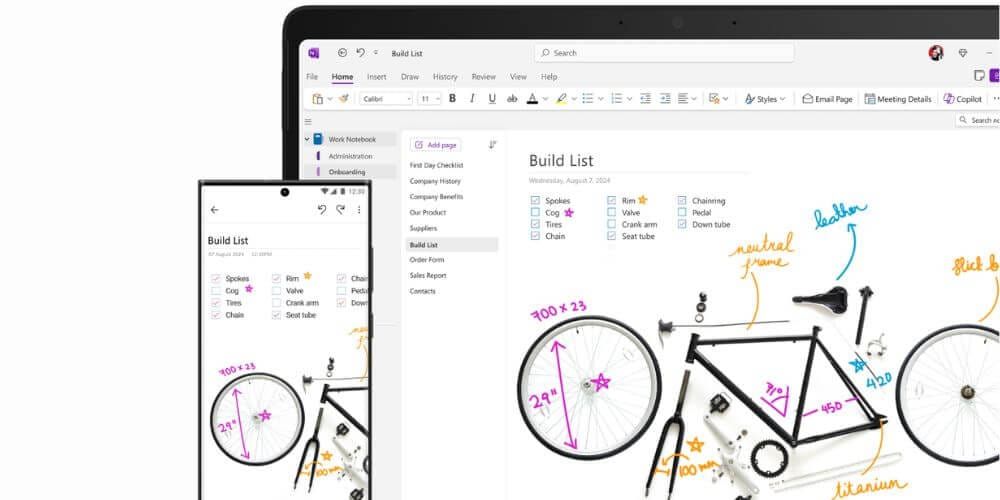
Available for free across virtually every platform, Microsoft OneNote is a stand-out choice. With ring binder-style organisation and multi-format capacity, it’s understandably popular for students, professionals, and other users managing large projects. Anybody used to Microsoft Word, Excel, or PowerPoint should find it fairly straightforward, with cross-platform syncing, voice notes, and a top-notch web clipping tool all included.
Microsoft 365 Copilot (Work) and Copilot Pro (Home) can use Microsoft’s AI assistant to edit, summarise, and understand notes. And there’s always the option of upgrading the OneDrive Storage, with the full suite of Microsoft apps for a reasonably low monthly rate. All of that makes OneNote a top notes app for work organisation and productivity.
Evernote
Key features:
● Powerful web clipping
● Task management tools
● OCR search for images and PDFs
● Cross‑device syncing
● Good choice of templates
One of the original noting apps, Evernote has experienced some significant upgrades in recent years. With an integrated calendar, blend of AI features, and easy note-taking experience, it stands up against more recently introduced rivals.
Evernote has developed a solid reputation as a premium option for research, planning, and heavy note-taking. It also has powerful collaboration features and a clean interface. However, the relatively high price point means that it’s best suited to advanced legacy users and those reliant on the AI functionality.
Google Keep
Key features:
● Very simple interface
● Colour‑coded notes
● Voice notes
● Reminder integration
● Google ecosystem support
Integrated with the wider selection of Google services, Keep is a great note-taking option for anyone wanting to capture lists, ideas, and reminders across devices. It can sync with the Gmail browser, Docs, and Tasks, allowing for convenient access to your notes wherever you are. This seamless compatibility also extends to the transfer of notes into Google Docs and text generation through Google Gemini.
Keep’s handling of location-based reminders is another stand-out feature. Presenting the most relevant notes, depending on whether you’re at home, in the office, or out shopping, it’s all that you could wish for from a modern note-taking app.
Apple Notes
Key features:
● Built into iPhones and iPads
● Folder organisation
● Smart scanning tools
● Collaboration support
● Password‑protected notes
With its uncluttered interface and range of user-friendly features, Apple Notes is the best notes app for devices such as the Apple iPhone 17 and Air.
Apple regularly updates its note-taking app, with recent additions including Markdown support and AI-powered search. Those using iOS 18 and above can also use the voice recognition tools to produce transcripts directly within the app. If you enjoy Apple’s own software offerings, its Notes app is a top choice.
Notion
Key features:
● Combination of notes and databases
● Team collaboration
● AI‑powered writing tools
● Custom layouts
● Project management support
With top-notch collaboration and team note-taking features, Notion is recommended for students, freelancers, and small teams wanting flexibility when capturing and organising ideas. The optional editing support and full-screen mode make it a great choice for focused writing sessions. Integration of the Notion Mail and Calendar apps allows for seamless organisation, too.
While the learning curve is a little steeper compared to other apps, Notion rewards with its powerful note taking, project management, and Wiki referencing capabilities. Also integrated with powerful AI, it allows for rapid text generation, editing, and summarising. It’s our top pick for custom workflows and team productivity.
Obsidian
Key features:
● Markdown support
● Graph view connections
● Offline/local storage
● Highly customisable
● Wide range of plugins
Ticking many of the same boxes as Notion, Obsidian is built for advanced digital note-taking and database linking. With a variety of organisation options, it can be made to look and perform exactly as you want. It allows for clear connections between different apps, with visual mapping in graph form. And there’s no need to rely on a third-party server, as Obsidian enables direct storage on your system.
With high levels of data security and community support, Obsidian can be a real game-changer for budget-conscious note takers and power users who’ll appreciate the network-like organisation features.
Choosing your note-keeping app
There are many note-taking apps offering a wide variety of features, so it’s worth reflecting on your personal preferences and the features that matter most. Would you prefer to keep your notes organised with folders or tags? And are you prepared to spend time learning the essentials of Markdown formatting?
Here are our recommendations for different users:
● Students - OneNote
● Knowledge workers - Evernote or Notion
● Apple users - Apple Notes
● Android users - Google Keep
● Writers/developers - Obsidian
Given the free and low-cost options, you might like to combine such popular noting apps for different purposes.
Conclusion
Those were our picks for the top note-taking apps on the market. Explore our other best-of guides for more inspiration, such as our recommendations for the leading AI apps.