
Android 16 Features Guide
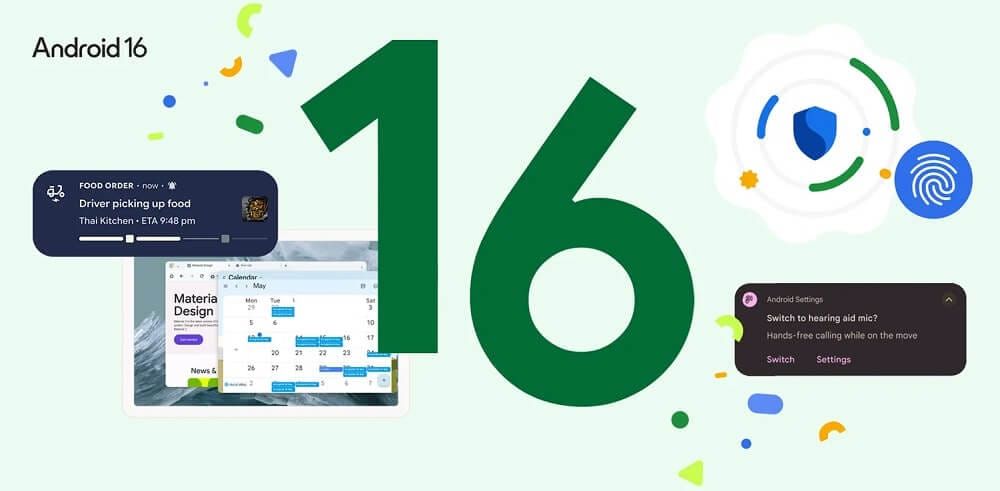
Each version of the Android operating system introduces various features to compatible devices. Whereas previous versions such as Android 14 focused on personalisation, Android 16 places a greater emphasis on usability and multitasking.
This guide will take you on a trip through Android 16 and its various features, as well as the phones that are compatible. Explore our Android phone range for a wide variety of handsets to choose from.
Release date
Android 16 was released in full on 10th June 2025, following a beta release on 23rd January 2025 for testing.
How to install Android 16
If your phone is compatible with Android 16 (see the next section if you’re unsure), it should update to Android 16 automatically if Automatic Updates are turned on. To manually install Android 16:
- Go to ‘Settings’
- Tap the ‘Software updates’ option
- Select ‘System update’ to check if a new update is available
Which phones are compatible with Android 16?
These are the phones that are compatible with Android 16 or expected to support it:
Google Pixel
- Pixel 6, Pixel 6 Pro, Pixel 6a
- Pixel 7, Pixel 7 Pro, Pixel 7a
- Pixel 8, Pixel 8 Pro, Pixel 8a
- Pixel 9, Pixel 9 Pro, Pixel 9 Pro XL, Pixel 9 Pro Fold, Pixel 9a
- Pixel 10, Pixel 10 Pro, Pixel 10 Pro XL, Pixel 10 Pro Fold
Samsung Galaxy
- Galaxy S25, Galaxy S25+, Galaxy S25 Ultra, Galaxy S25 Edge
- Galaxy S24, Galaxy S24+, Galaxy S24 Ultra, Galaxy S24 FE
- Galaxy S23, Galaxy S23+, Galaxy S23 Ultra, Galaxy S23 FE
- Galaxy S22, Galaxy S22+, Galaxy S22 Ultra
- Galaxy A06, Galaxy A15, Galaxy A16, Galaxy A25, Galaxy A26, Galaxy A33, Galaxy A34, Galaxy A35, Galaxy A36, Galaxy A53, Galaxy A54, Galaxy A55, Galaxy A56
Android 16 features
Auto-grouping
This feature helps minimise clutter in your notifications by arranging similar notifications together, rather than a long list of individual updates.
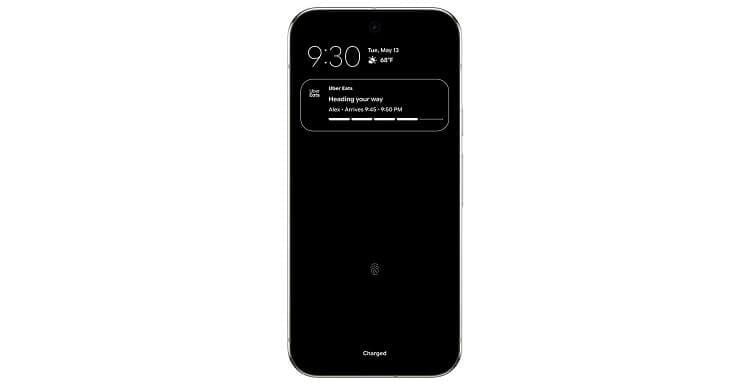
Live updates
On the topic of updates, this feature improves their usefulness by packing updates with more relevant information in real-time. If you’ve booked a taxi for example, you can track its progress from within the notification section without needing to open the relevant app.
Predictive Back
Android 16 will provide a preview of the last screen you were on with the Predictive Back feature. When long-pressing the back button, you’ll see what you last looked at; handy if you’re deep into a search journey.
Adaptive refresh rate
ARR (adaptive refresh rate) was introduced with Android 15, and the 16th version of the OS enhances it further by improving power efficiency and making it easier to use.
Haptic sliders
When adjusting brightness or volume via the menu sliders, there’s now a tactile response you can feel that allows for more precise tweaks.
Desktop windowing
One of our favourite features in Android 16 is desktop windowing. It allows for grouping and resizing of app windows on larger displays, such as a foldable phone or tablet, to organise them more efficiently.
Taskbar overflow
Another feature that’s incredibly useful on larger devices is called taskbar overflow. If you have a significant number of apps open, you can press the overflow button to activate a horizontal carousel for easy access.
Custom shortcuts
The final large-display feature of Android 16 is support for custom shortcuts. With these, you can navigate apps on larger screens more easily.
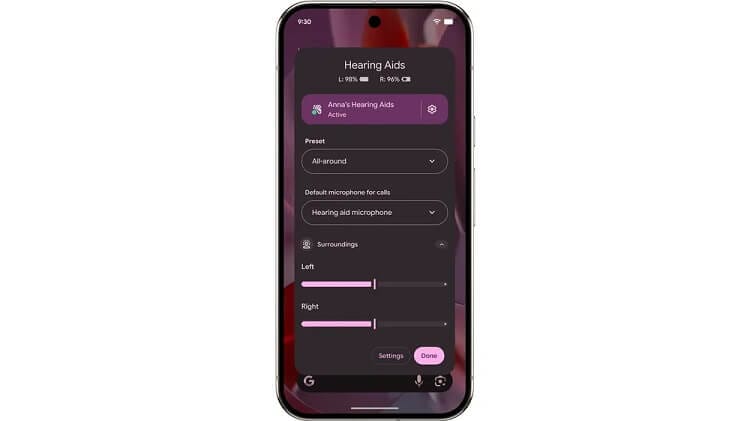
Improved hearing aid support
Android 16 brought huge accessibility improvements for hearing aid users. You can control your hearing aids directly from your phone and also use it to amplify voices when needed.
Identity Check
The Identity Check feature helps shore up your device’s security outside of trusted locations. Biometrics will be required if access is requested in an untrusted area.
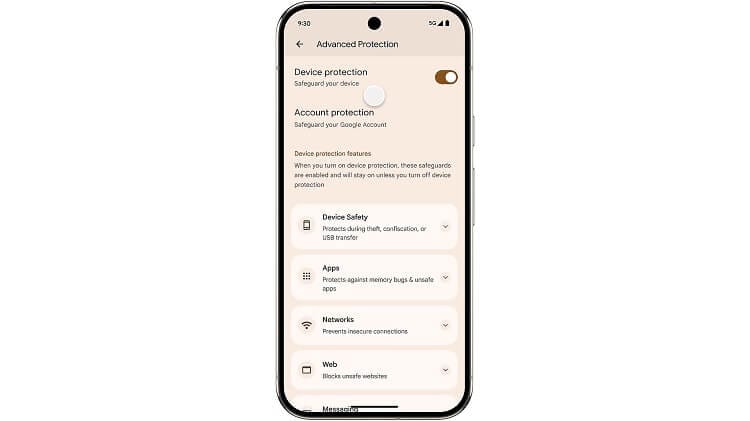
Advanced Protection
There’s no need to root around for your device’s safeguards. Advanced Protection keeps everything in one place, so you know where everything is.
Those are the key features that form the foundations for Android 16. If you’ve recently picked up an Android phone and need to move your old data across, our expert guide will help you get set up in no time.