
The Best Budget Apps 2026
Learning how to budget is the best way to manage your finances. If this seems like a mammoth task, you’ll be relieved to know that there is a huge range of budgeting apps available to make it easier than ever to take control of your spending and saving habits.
We’ve rounded up the best budgeting apps available for you to download to your phone, looking at what makes them stand out among the hundreds of money management apps out there.
If you’re keeping an eye out for a new phone to fit your budget, we have a wide range of affordable Android and iOS handsets for you to browse through.
Best app for changing your spending habits
YNAB (You Need a Budget)
• Available on iOS and Android
• Price: Free 30-day trial (annual subscription £81, monthly plan £11)
✅ Zero-based budgeting
✅ Great for goal tracking
✅ Excellent for building savings and paying off debt
✅ A bank of detailed guides and educational resources
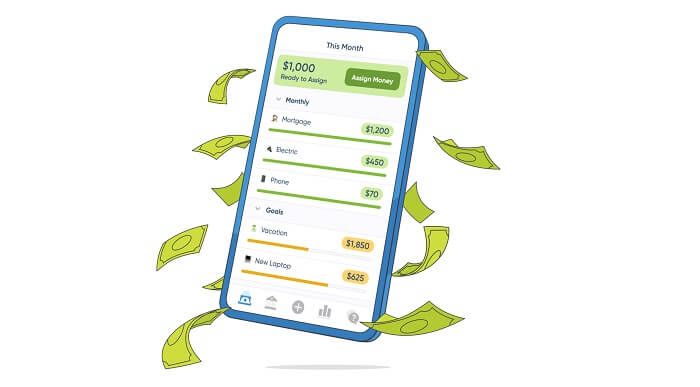
Unlike other budgeting apps, YNAB follows a zero-based method rather than tracking all your previous transactions. The moment you’re paid, every pound you make has its own job, depending on your goals. If you’ve been living month to month, YNAB teaches you to only budget the money you currently have, helping you avoid overspending.
It can also help users with unpredictable incomes, as you only budget money after you’ve earned it. For this reason, it’s perfect for freelancers, consultants and contractors.
There is a bit of a learning curve with YNAB, and it’s definitely not a set-it-and-forget-it kind of app. However, it’s really worth the effort if you can get the hang of it.
Best UK budgeting app
Emma
• Available on iOS and Android
• Price: Free tier, plus a 7-day trial of the paid plans (subscription prices range from £4.99 - £14.99 per month, depending on the tier)
✅ Connect all your accounts in one place
✅ Track subscriptions
✅ Categorise spending
✅ Get spending insights
Built with UK banking in mind, Emma uses open banking to gather information about your existing accounts, investments and credit cards. You can connect two accounts on its free tier, but you’ll need a subscription if you want oversight of more than that.
With an intuitive set-up, you can quickly start tracking all your expenses and transactions, and start benefiting from real-time spending insights. It will also alert you to budget-drainers like unused services. Emma provides useful savings tools and bill reminders, so you can easily control your finances and reduce unnecessary spending.
Easy to navigate, with comprehensive analysis and budgeting, we found Emma to be a powerful tool with a smooth user experience. Not all banks are supported though, so it’s best to check this before you sign up. Also, despite having a useful free tier, many features are only available on the paid plans.
Best app for deal-switching
Snoop
• Available on iOS and Android
• Price: Free (£5.99 per month for Snoop Plus, or £47.99 if billed annually)
✅ Money-saving & utility-switching recommendations
✅ Great free version
✅ Excellent automatic bank syncing
✅ Clear & easy-to-understand spending insights
Snoop uses open banking to connect your accounts to help you analyse your spending habits in one place. It’s a good free budget app that helps you create budgets, track your bills, spot unexpected price hikes, and track your credit score.
It also allows you to categorise your spending with custom categories, provides weekly and monthly spending summaries, and can save you money on your utility bills; all from within the app itself.
We particularly love Snoop’s built-in discount code finder, which searches for vouchers for brands you commonly purchase from, potentially saving you from spending more than you need.
Utility switching is also a big focus for Snoop. The app will notify you of potential savings and suitable deals. If your current energy bill is due for renewal, this could be a very useful feature to prevent you from spending more than you need to.
Best app for banking & saving
Monzo
• Available on iOS and Android
• Price: Free (£3 per month for Monzo Extra)
✅ Excellent built-in budgeting tools
✅ Powerful savings automation
✅ Real-time spending notifications
✅ Intuitive app experience
Some of the budgeting features that banks offer in their mobile apps can be limited. We enjoyed using Monzo because it provides a full bank account and a budgeting app all-in-one, so you benefit from all the usual current account services while also being able to manage your money and track spending.
Monzo’s clever savings feature rounds up your payments to the nearest pound and drops them into a savings pot. You can also automatically divide your money into spending, saving, and bills when your salary hits your account. For example, you can set budgets to keep a handle on your spending for different categories such as shopping, entertainment, holidays, groceries, and eating out.
Best app for building savings
Moneybox
• Available on iOS and Android
• Price: Free
✅ Excellent for building a savings habit
✅ Beginner-friendly investing
✅ Wide range of investment and savings products
✅ Encourages long-term wealth building
While not strictly speaking a budgeting app in that it doesn’t track spending or help you create budgets, Moneybox is great for those who want to start investing but don’t know where to start.
Moneybox provides features for you to gather your spare change and turn it into investments and savings. The app rounds up purchases to the nearest pound and allows you to invest or save the money.
You can open a Moneybox savings account with just £1, so there’s no rush to start investing. You can also set your investment level to be more cautious or adventurous to cap how much the app will begin investing for you.
Best free budget app for families
HyperJar: HyperJar
• Available on iOS and Android
• Price: Free
✅ Excellent envelope budgeting approach
✅ Great for families and couples
✅ Reduces temptation to overspend
✅ Very simple and user-friendly
With this prepaid debit card app, you can create jars for specific spending, such as holidays, groceries, dining, or days out. Both adults and children can use it, offering an easy way for younger users to learn how to budget and manage their money.
HyperJar is completely free to download and use, with a £3 fee only coming into play if the account has been inactive for 12 months. There is also a one-off £4.99 fee to order a physical card.
The app offers tailored rewards and discounts with specific brands, and you can share a Jar with other users to top it up or split a bill. Plus, you can get up to 20% cashback on a number of brands via HyperJar gift cards.
There’s a separate card for any children paired to the adult account, which they can use for spending. Kids can also view their account in the HyperJar app.
Best app for travelers
Revolut
• Available on iOS and Android
• Price: Free plan (optional paid tiers range from £3.99 to £55 per month)
✅ Excellent for travel and foreign currencies
✅ Strong budgeting and spending visibility
✅ Wide range of financial features in one place
✅ Flexible money management tools
Set up in 2015 by a former trader who was frustrated with existing foreign exchange products, Revolut began as a prepaid card app that enabled travelers to switch between currencies. Having expanded its range of products since then, the app now has around 65 million users across the world.
You can set up an account with no paperwork and manage it via the Revolut app, which you can download for free. As well as spending analytics, budget setting, subscription management, and the ability to manage all your accounts in one place, you can also spend money abroad without any hidden fees (below a certain threshold). Plus, you can send money abroad in over 30 currencies.
Using the right budget app can help you get your finances in shape and reduce the anxiety that comes with managing your money. To find other apps that can support you in your daily routine, check out our rundown of insightful apps that can help you balance your mindfulness and mental health.