
How to Clean Your iPhone’s Charging Port
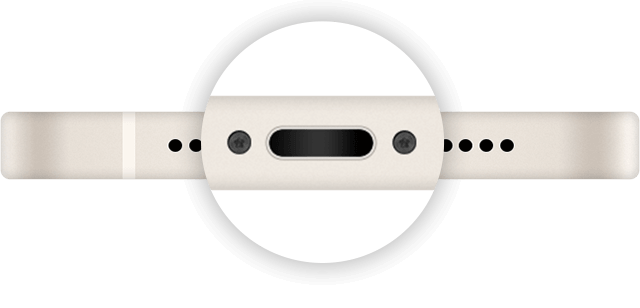
If you’ve plugged your iPhone’s charging cable in and nothing has happened, it might be to time to give the port a good clean. Our smartphone experts will guide you on how to do so, removing debris such as dust, sand and more.
Considering changing up your iPhone in the near future? Our Apple range contains a wide array of handsets to choose from.
Why should I clean my iPhone’s charging port?
When things like dust and dirt make their way into the charging port of a phone, they can obstruct the charge that gives a handset its power. This can happen fairly frequently, owing to the fact that we typically carry our phones around in a pocket or bag where dust lingers.
As such, regularly cleaning the charging port can help keep it debris-free and enable the charge to flow as it should.
Cleaning your iPhone’s charging port: step-by-step
Before attempting to clean the port, be mindful of what you’re doing and the tools you’re using. If you don’t feel confident, consider taking your iPhone to a smartphone store.
It’s also advised to not use compressed air when cleaning a charging port. This can push debris further into the port, making it harder to remove obstructions.
- Turn off your phone – make sure you’re iPhone is switched off and nothing is plugged into it
- Cast a light into the port – before starting to poke around in the charging port, shine a light so you can clearly identify any debris that needs removing
- Get rid of immediately visible obstructions – using a small and dry brush (an anti-static brush is even better), remove any debris that’s sticking out
- Dislodge any internal obstructions – once you’ve removed the visible debris, use your small brush to sift out any dust and dirt that’s further inside. Be careful when doing this, so as to not damage any delicate parts in the port
- Remove stuck-on debris – if you can see any debris that is stuck to the inside of the port, use an item such as a wooden or plastic toothpick to dislodge it. You can then use your brush to sweep out the loose debris. Again, be wary of poking around too much in the port, so you don’t damage anything
- Give your phone a shake – finish the clean-up by gently shaking or tapping your iPhone to remove any lingering debris
- Test your phone – try charging your iPhone again; if it still doesn’t charge up properly, consider taking it to a phone store for further inspection
Other tips for cleaning an iPhone charging port
• Don’t use liquids – it goes without saying that you shouldn’t use liquids to remove debris in the charging port, as this can cause significant damage to electronics on the inside
• Do this regularly – try and get into the habit of cleaning the charging port every few weeks. This is particularly important for reducing the build-up of stuck-on debris that is harder to remove
• Clean out your pockets and bags – whether you carry your phone in a coat pocket or a bag, consider giving these a clean, too. Dust and lint are common culprits of a clogged charging port, so it makes sense to clean the sources of the debris and not just the port itself
Conclusion
After following these steps, your iPhone’s charging port should be squeaky-clean. For more phone-cleaning advice, check out our dedicated tips guide.
FAQs
What are the signs that my port needs cleaning?
You’ll know it’s time to give the port a clean if your phone isn’t charging properly. If you find that the charging cable doesn’t connect correctly, this can also be a sign that a tidy-up is required.
How can I clean my iPhone charger port without a toothpick?
If you don’t have any wooden or plastic toothpicks to hand, you could instead use a small toothbrush or paper straw that has been cut to a fine point. As a rule of thumb, just avoid using anything metallic or overly sharp.
What should I not use to clean a charging port?
As previously mentioned, avoid using any metallic objects to clean the charging port; doing so can result in short-circuiting of internal electronics. You should also shy away from using liquids or anything that could generate moisture, as a similar problem could arise and cause further damage to your phone.